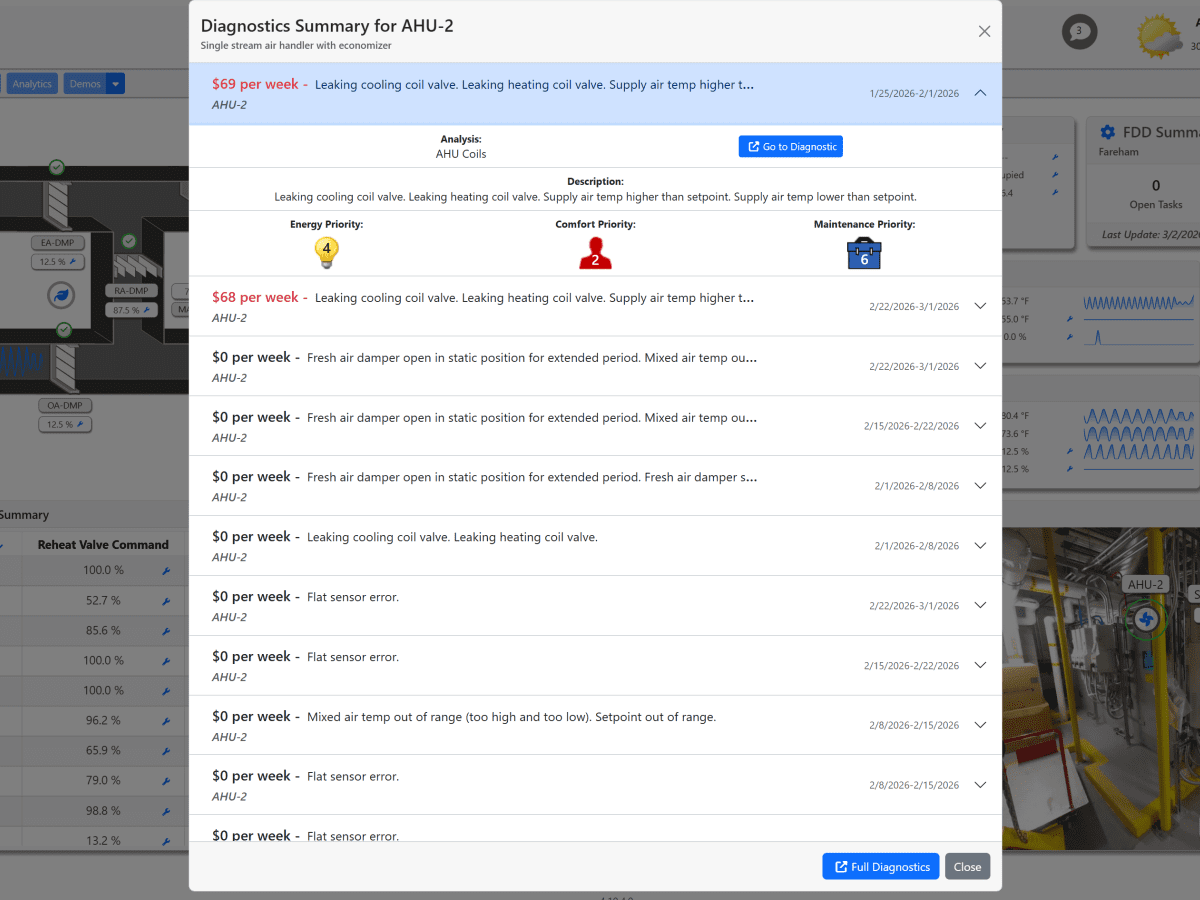

How Clockworks FDD Service Works
Bring diagnostics into the flow of operations
The Clockworks FDD Service transforms how users interact with fault detection and diagnostic data in Niagara 4. Embedded directly within the BAS user interface, it enables users to add intuitive card and icon widgets to existing PX graphics, delivering instant FDD visibility and actionable insight without disrupting the graphical workflow.
-
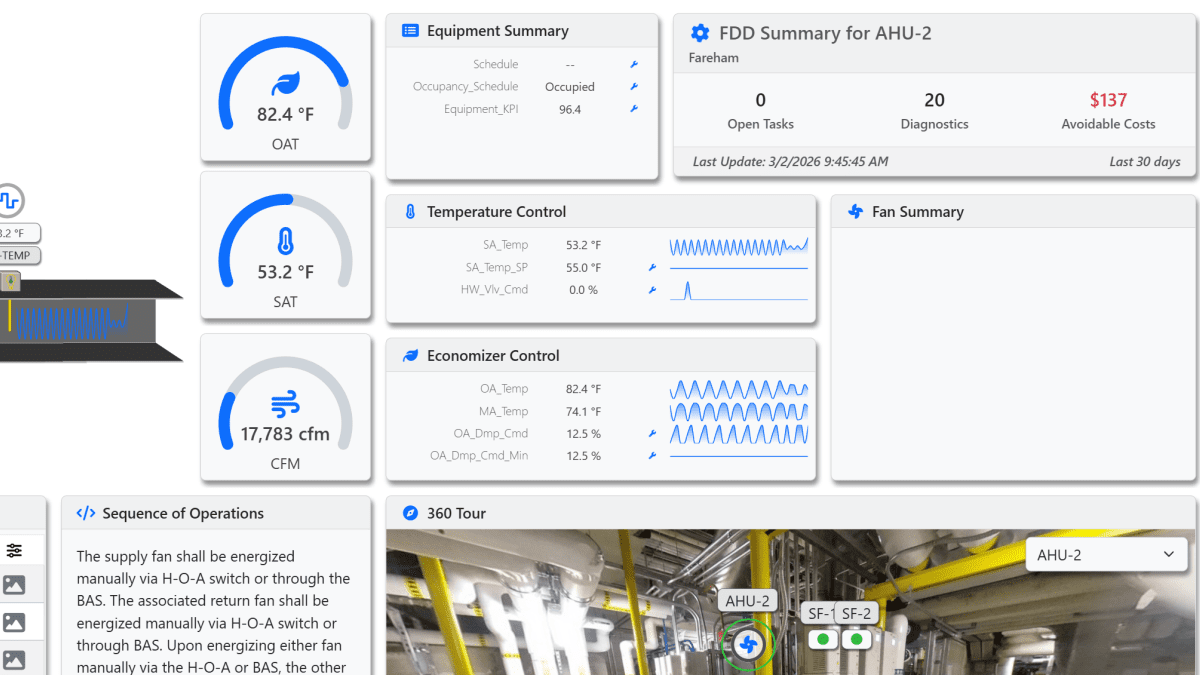
Drag & Drop Widgets
Widget can be added to any PX page using minimal real estate on existing graphics.
-
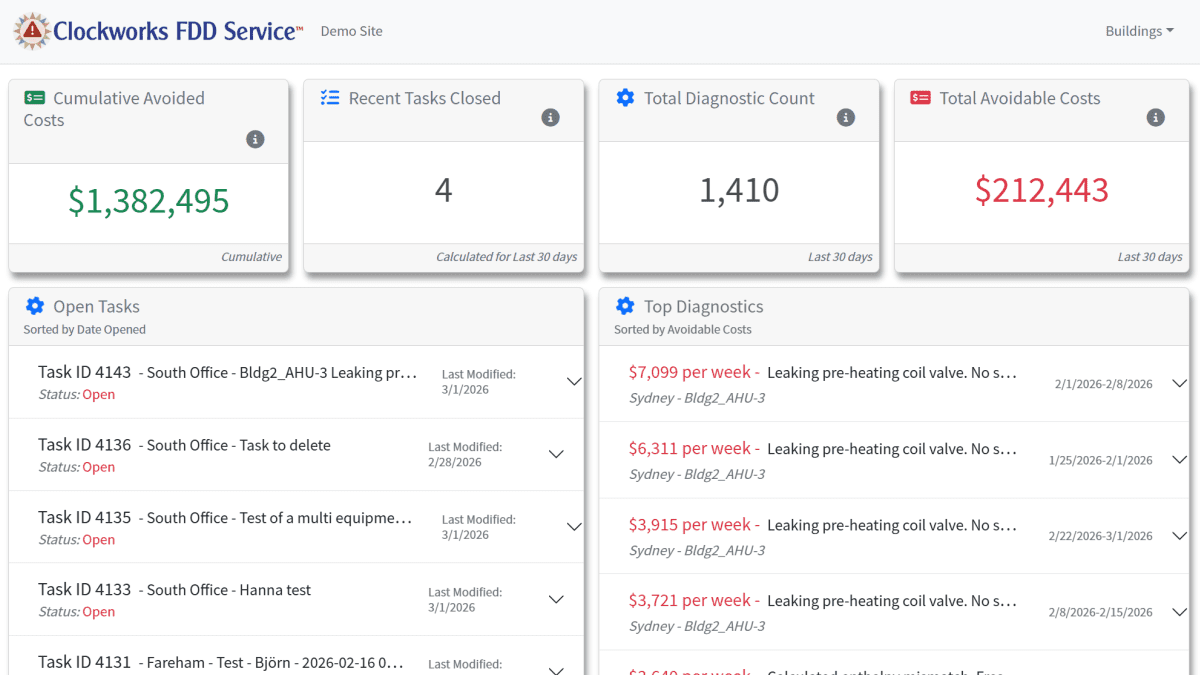
Dashboard View
Prebuilt dashboard that fetches all task and diagnostic data. The dashboard is easily incorporated into existing graphics (by navigation or as a widget) and visualizes task effectiveness and highest priority diagnostics.
-
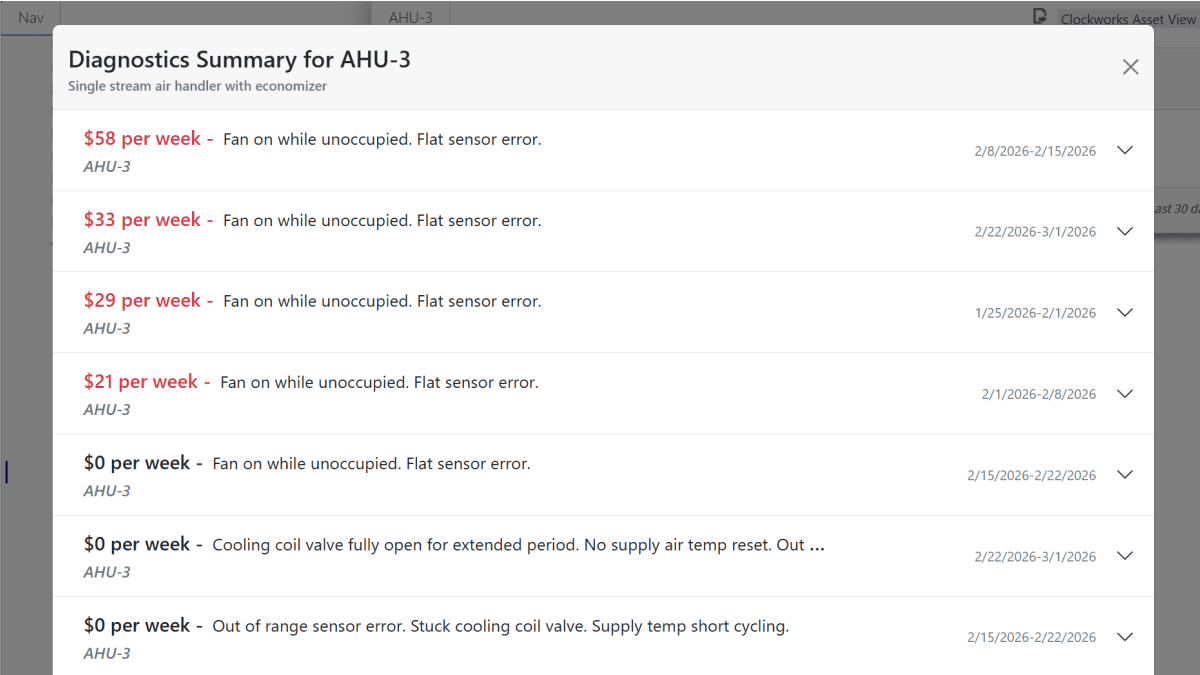
Prioritized Diagnostics
Faults are prioritized by avoidable cost so that what matters most is first seen.
-
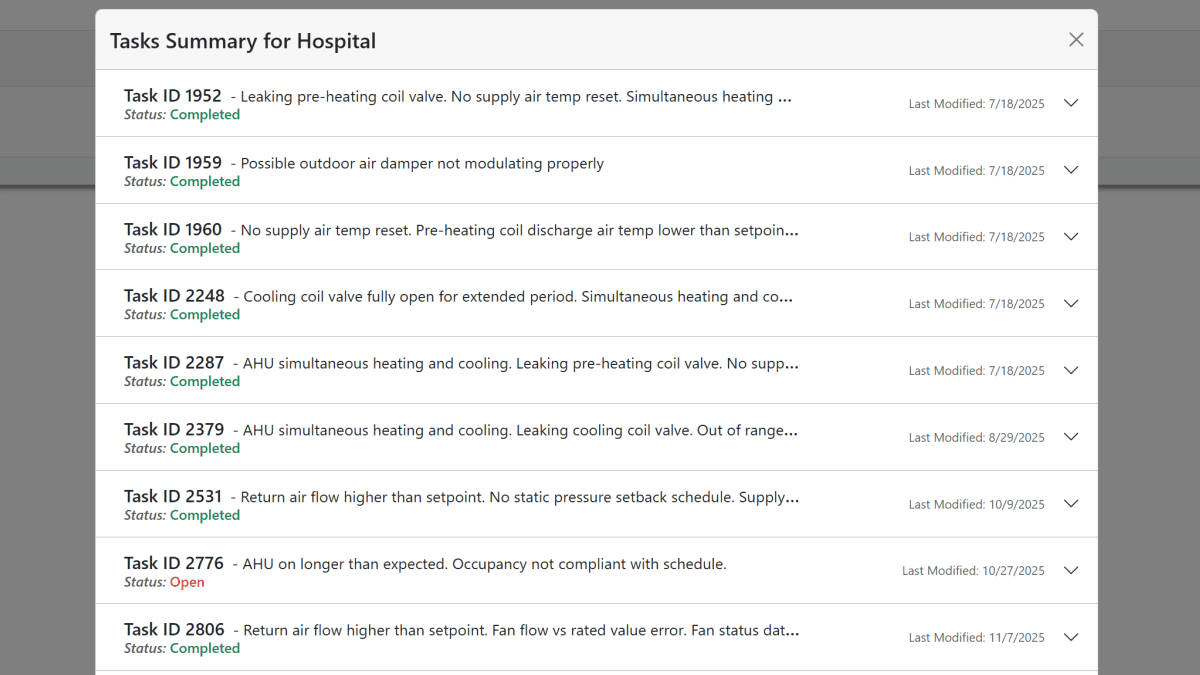
Task Management
Keep track of ongoing tasks in Clockworks.
-
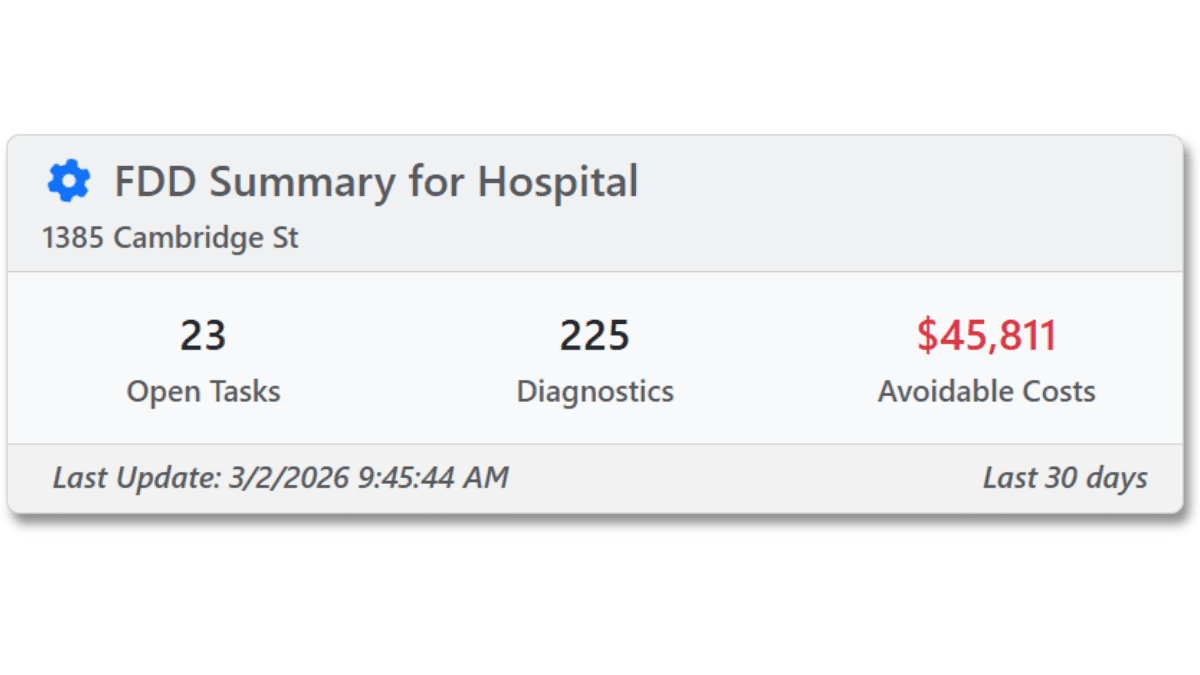
Building Card
The FDD card can be filtered down to the building level and added to a building’s PX page.
-
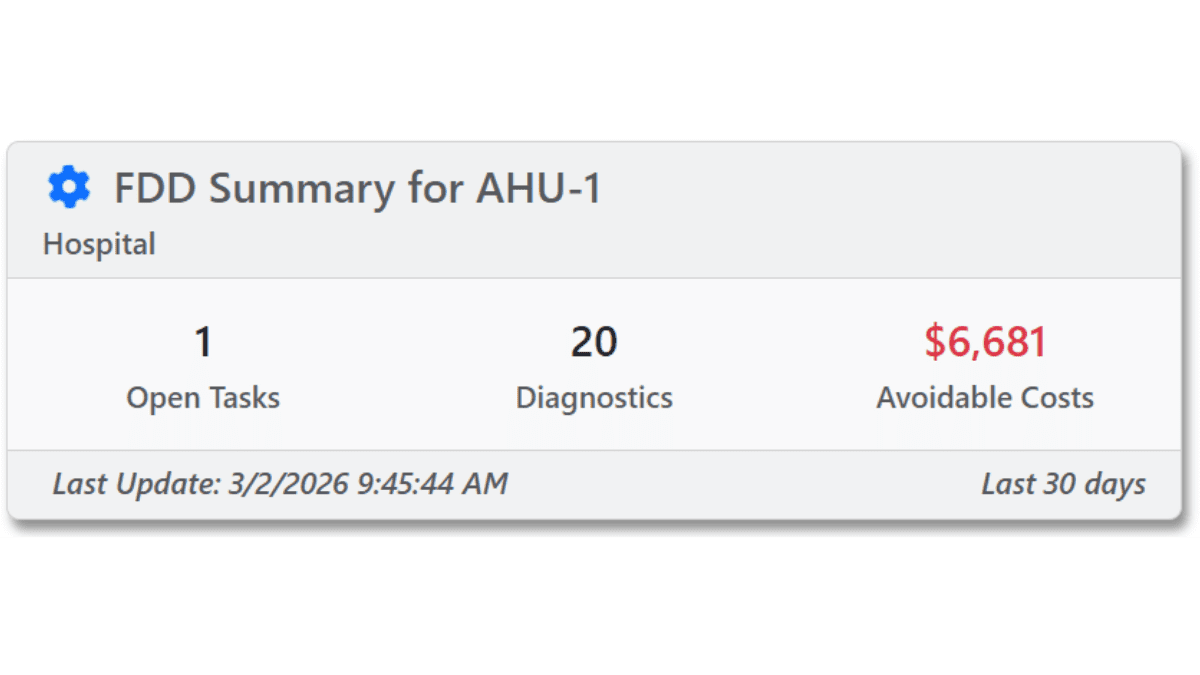
Asset Card
The FDD card can be filtered down to the equipment level and added to an asset’s PX page.
See Clockworks FDD in action
Explore how Clockworks FDD brings fault detection and diagnostics directly into PX graphics, using simple card and icon widgets that surface critical insights while keeping users in the context of the BAS interface.
- Add intuitive FDD card and icon widgets directly to existing PX graphics
- Bring fault detection and diagnostic insight into the BAS interface where users already work
- Surface meaningful FDD information without disrupting the graphical workflow
- Use minimal screen space while adding high-value operational visibility
- Use a prebuilt dashboard to visualize diagnostic data and active tasks in one place
- Highlight the highest-priority diagnostics so critical issues are seen first
- Prioritize faults by avoidable cost to focus attention on what matters most
- Track ongoing Clockworks tasks more effectively from within the Niagara experience
- Incorporate the dashboard into existing graphics through navigation or embedded widgets
- Filter FDD cards to the building level for targeted visibility on building PX pages
- Filter FDD cards to the equipment level for asset-specific insights
- Extend existing PX graphics with FDD intelligence without rebuilding operator workflows
- Help operators identify and respond to faults faster with in-context visibility
- Improve decision-making by connecting diagnostics directly to the systems they affect
- Reduce friction by keeping users inside familiar BAS graphics and interfaces
- Turn FDD data into a more accessible, actionable part of daily operations